
Download Adobe Photoshop AI – AI‑Powered Photo Editing Tool
Overview
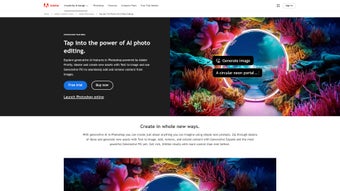
Adobe Photoshop AI represents a bold evolution in the world of digital imaging, marrying the historic power of Photoshop with the cutting‑edge capabilities of generative artificial intelligence. Built as a web‑based application, it eliminates the need for bulky installations and lets creators work directly from their browsers, whether on a desktop, laptop, or tablet. The core engine driving this transformation is Adobe Firefly, Adobe’s proprietary generative AI model that fuels features such as Generative Fill and Generative Expand.
These tools let users remove, replace, or extend image elements with a single click, turning complex, time‑consuming retouches into almost instantaneous actions. Beyond the AI‑driven functions, Photoshop AI retains beloved classics like Content‑Aware Fill, Object Selection, and the layered workflow that professionals have depended on for decades. The subscription model grants continuous updates, ensuring that the latest AI improvements and security patches are delivered without manual effort.
By delivering a seamless blend of traditional precision tools and AI‑augmented creativity, Adobe Photoshop AI empowers photographers, designers, marketers, and hobbyists to push visual storytelling to new heights while maintaining the reliability and depth expected from the Photoshop brand. This overview sets the stage for a deeper dive into the specific features, practical usage tips, and the benefits you can expect when you download and start using this powerful, cloud‑based editing suite.
Features & Benefits
Adobe Photoshop AI’s feature set is designed to accelerate the creative workflow while preserving the depth of control that seasoned editors demand. Each capability has been engineered to work fluidly within the familiar Photoshop interface, meaning you spend less time learning new menus and more time producing polished results. The generative tools stand out as true game‑changers: Generative Fill can fabricate realistic objects or scenery from a simple text prompt, while Generative Expand intelligently extends backgrounds, preserving lighting, perspective, and texture.
AI‑Powered Object Selection reduces the tedious manual tracing often required for complex subjects, and the upgraded Content‑Aware Fill 2.0 offers smoother reconstructions by learning from a broader context. Real‑time Collaboration turns the browser into a shared studio, letting multiple team members edit simultaneously and see changes instantly. The browser‑native interface means you never have to manage installers or worry about operating‑system incompatibilities, and the adaptive learning engine tailors suggestions to your personal style over time.
Secure Cloud Storage guarantees that every edit is saved automatically, protected by end‑to‑end encryption, while the integrated Adobe Stock library provides instant access to millions of high‑quality assets. Regular feature updates ensure that the AI models stay at the forefront of research, delivering fresh brushes, smarter automation, and performance enhancements without extra cost.
- Generative Fill: Instantly replace missing or unwanted areas by describing the desired content in natural language.
- Generative Expand: Seamlessly broaden canvases, adding context‑aware background or foreground elements without manual cloning.
- AI‑Powered Object Selection: Click‑and‑drag selection that intelligently isolates subjects, even in cluttered scenes.
- Content‑Aware Fill 2.0: An upgraded version that learns from the surrounding pixels to deliver smoother, more realistic fills.
- Real‑time Collaboration: Multiple users can edit the same project simultaneously, with changes synced instantly in the cloud.
- Browser‑Native Interface: No downloads required; the full Photoshop experience runs in Chrome, Edge, Safari, or Firefox.
- Adaptive Learning: The AI refines its suggestions based on your editing style, delivering more personalized results over time.
- Integrated Stock Library: Access Adobe Stock assets directly from the side panel, ready to be blended with AI‑generated content.
- Secure Cloud Storage: All projects are saved to Adobe Creative Cloud with end‑to‑end encryption, ensuring data privacy.
- Regular Feature Updates: Subscribers receive monthly AI model upgrades, new brushes, and workflow enhancements at no extra cost.
Pros
- AI‑driven features dramatically speed up complex edits, saving hours of manual work.
- Web‑based platform eliminates hardware constraints and simplifies updates.
- Seamless integration with Adobe Creative Cloud and Stock library.
- Real‑time collaboration empowers remote teams and client reviews.
- Regular AI model upgrades keep the tool at the forefront of generative technology.
Cons
- Requires a constant internet connection; offline editing is not possible.
- Subscription cost may be higher than one‑time purchase alternatives.
- AI suggestions sometimes need manual refinement for highly specific artistic intent.
- Performance on low‑end devices can lag during intensive generative tasks.
- Learning curve for new AI terminology (e.g., “Generative Fill”) may confuse longtime Photoshop users.
Installation & Usage Guide
Getting started with Adobe Photoshop AI is remarkably simple compared with legacy desktop versions. First, verify that you have a stable internet connection (minimum 5 Mbps recommended) and a modern web browser that supports WebGL and WebAssembly – Chrome 90+, Microsoft Edge 90+, Safari 14+, or Firefox 88+. Navigate to the official Adobe Photoshop AI landing page and click the “Start Free Trial” button. After signing in with your Adobe ID, you’ll be prompted to select a subscription plan (individual, business, or student). Once the subscription is active, the application launches directly in your browser; no executable files are downloaded, and there’s no need for admin rights.
Compatibility: Because Photoshop AI runs in the cloud, it works on Windows 10/11, macOS Monterey or later, Chrome OS, and even mobile browsers on iOS 14+ and Android 9+. The only limitation is that intensive AI tasks may be slower on low‑end devices, so a recent processor (Intel i5/Ryzen 5 or newer) and at least 8 GB RAM are recommended for optimal performance.
Upon opening the interface, you’ll see a familiar workspace: a central canvas, left‑hand toolbar, right‑hand layers panel, and a top menu bar. To use Generative Fill, simply select an area with any selection tool, right‑click, and choose “Generative Fill.” A dialog appears where you type a brief description—e.g., “add a sunrise behind the mountains.” The AI processes the request in seconds, presenting a preview that you can accept, tweak, or discard. For Generative Expand, select the canvas edge, invoke the command, and describe the expansion (e.g., “extend the beach with more sand and waves”). The AI intelligently extrapolates surrounding textures, preserving lighting and perspective.
Traditional editing tools remain fully functional. The Object Selection tool now leverages AI to automatically detect edges, dramatically reducing manual refinement. Content‑Aware Fill works as before but benefits from AI’s deeper contextual understanding, resulting in fewer artifacts.
All changes are saved automatically to Creative Cloud, and you can download a PSD file at any point for offline work. The built‑in tutorial hub offers short video guides and sample projects, making the learning curve gentle even for users new to AI‑enhanced workflows. For power users, keyboard shortcuts mirror the desktop version, and you can customize workspaces, create actions, and integrate third‑party plugins via the cloud marketplace.
To keep your workflow secure, Adobe enforces two‑factor authentication for all accounts and encrypts data in transit and at rest. If you encounter performance hiccups, clearing browser cache, disabling unnecessary extensions, or switching to a supported browser often restores optimal speed. With these steps, you’ll be ready to harness the full power of Photoshop AI for everything from quick social‑media graphics to high‑resolution editorial layouts.
Frequently Asked Questions
Below are the most common queries from users who are considering downloading Adobe Photoshop AI. Each answer is crafted to help you understand the service’s capabilities, requirements, and pricing.
Is Adobe Photoshop AI truly free to use?
Photoshop AI offers a 7‑day free trial for new users. After the trial, a subscription is required to continue accessing AI features, cloud storage, and regular updates.
Can I edit Photoshop AI files offline?
No. Because the application runs entirely in the browser and relies on Adobe’s cloud‑based AI models, an active internet connection is mandatory for all editing tasks.
Which browsers provide the best performance?
Google Chrome and Microsoft Edge deliver the most consistent performance due to their advanced WebGL and WebAssembly support. Safari and Firefox are also supported, though some AI rendering steps may be slightly slower.
How does Generative Fill differ from traditional Content‑Aware Fill?
Generative Fill uses a large language‑vision model (Adobe Firefly) to create entirely new pixels based on a textual prompt, while Content‑Aware Fill only reconstructs missing areas from surrounding pixels. This means Generative Fill can add objects or scenery that didn’t exist in the original image.
Is my data safe when using Adobe Photoshop AI?
Yes. All projects are stored in Adobe Creative Cloud with end‑to‑end encryption. Adobe adheres to ISO/IEC 27001 standards and provides regular security audits to protect user data.
Can I export my work to other Adobe applications?
Absolutely. Files can be saved as PSD, PNG, JPEG, or TIFF, allowing seamless import into Photoshop desktop, Illustrator, After Effects, and other Creative Cloud apps.
Conclusion & Call to Action
Adobe Photoshop AI has redefined what’s possible in a photo‑editing suite. By embedding generative AI directly into the familiar Photoshop workflow, it eliminates many of the tedious steps that once slowed creative production. The combination of Generative Fill, Generative Expand, and AI‑enhanced Object Selection makes it an indispensable tool for anyone looking to accelerate their design pipeline while maintaining professional‑grade results. Though the reliance on an internet connection and the subscription pricing model may deter some, the productivity gains, continuous feature upgrades, and seamless cloud integration deliver a compelling value proposition. Whether you are a freelance photographer needing rapid retouches, a marketing team collaborating across time zones, or a hobbyist exploring new creative frontiers, Photoshop AI offers the speed, security, and flexibility that modern creators demand.
Ready to experience the future of image editing? Click the button below to start your free trial, explore the AI‑driven features, and see how Adobe Photoshop AI can transform your workflow. Don’t miss the chance to stay ahead of the curve—download today and unleash the power of AI‑augmented creativity.



.png)



